Proton
A restaurant POS that connects orders, tables, ingredients and profit.
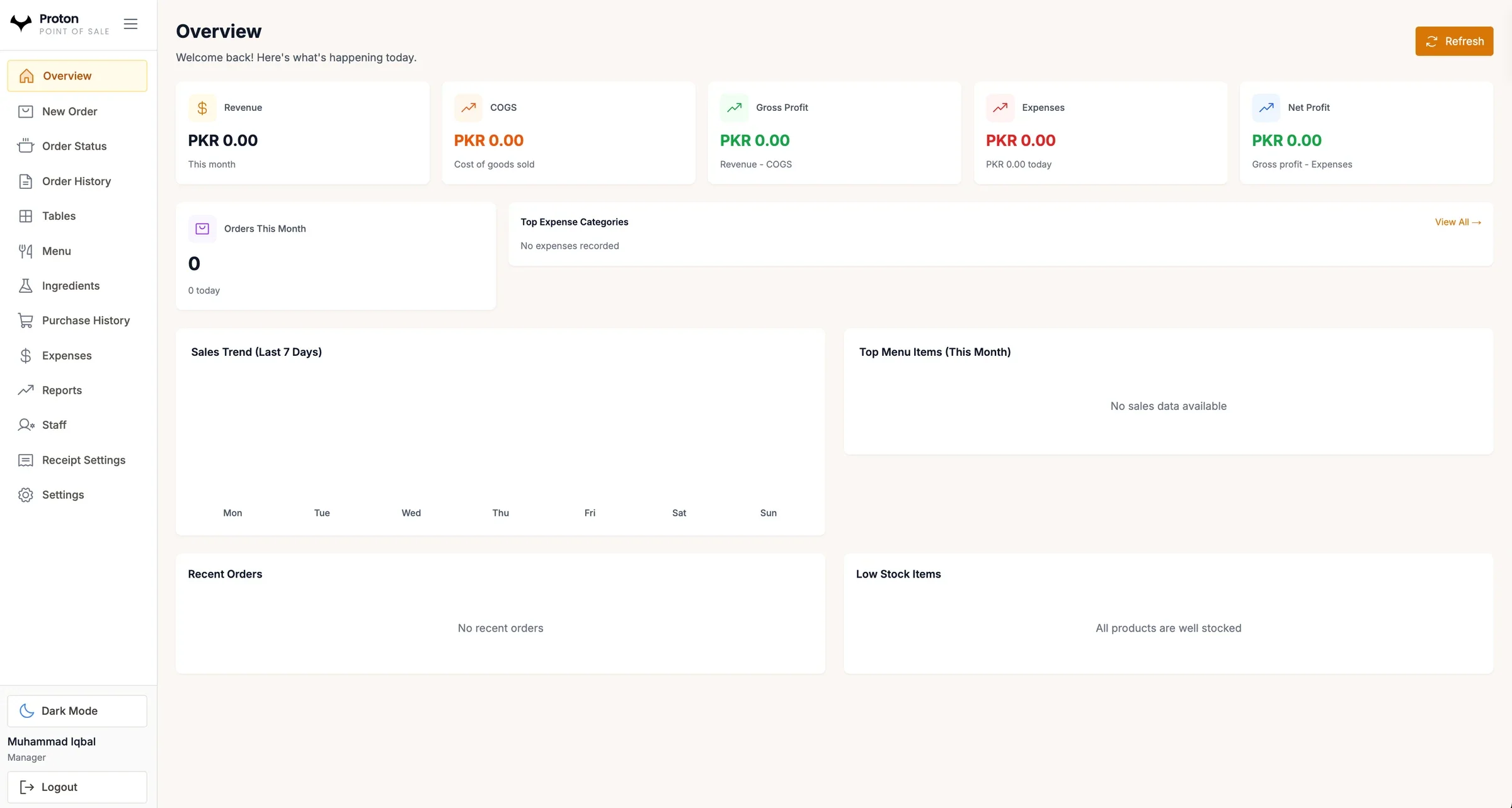
Proton runs service and the numbers behind it: new orders, order status, tables, menu and ingredients, purchases, expenses, staff and reports. The overview shows the month's revenue, cost of goods, gross profit, expenses and net profit at a glance.
- Web
01 · The problem
A busy restaurant takes orders at tables and the counter, buys ingredients every day and pays staff and suppliers, often with nothing tying those records together. The owner sees the cash in the drawer, but not what the month actually earned.
Orders and table status tracked on paper slips
Ingredient purchases kept apart from what the menu sells
Profit calculated after the month ends, if at all
02 · What Proton does
Proton puts the order screen and the back office on one system. Staff take dine-in and takeaway orders and follow them to completion, while every purchase and expense feeds the owner's view of cost and profit.
Dine-in orders linked to tables, alongside takeaway
Ingredients and purchase history kept next to the menu
Revenue, cost of goods, gross and net profit on the overview
03Capabilities
01
Order taking
Dine-in and takeaway orders through a fast, structured order screen.
02
Order status and history
Follow each order from creation to completion and look up any past order.
03
Tables
Link orders to tables so staff can see what is active on the floor.
04
Menu and ingredients
Keep menu items and the ingredients behind them in one place.
05
Purchases and stock
Record ingredient purchases and see which items are running low.
06
Expenses
Record expenses by category and see the biggest costs first.
07
Reports
Seven-day sales trends, top menu items, recent orders and profit for the month.
08
Staff and receipts
Staff accounts with roles, and receipt settings for the restaurant.
Built for
04Questions
Who is Proton for?
Restaurants, cafés, fast-food outlets and other food businesses that serve dine-in and takeaway customers.
How does Proton work out profit?
It subtracts the cost of goods sold from revenue to give gross profit, then subtracts expenses to give net profit, using the orders, purchases and expenses recorded in the system.
How is Proton different from Atom POS?
Both are Hectagon point-of-sale systems. Atom is built for retail counters and stock. Proton is built around restaurant orders, tables and ingredients.